What you'll learn in this article
- Email spoofing is the practice of forging a sender address so a message appears to come from someone trusted.
- It is commonly used in phishing, spear-phishing, and business email compromise attacks to make deceptive messages seem credible.
- Spoofed emails may use fake display names, altered headers, or look-alike domains to fool recipients into acting too quickly.
- A strong defense combines user awareness with email authentication controls such as SPF, DKIM, and DMARC, plus layered email protection.
- Mimecast helps reduce email spoofing risk with technologies for URL protection, attachment scanning, impersonation detection, and email authentication support.
What is email spoofing?
Email spoofing is the practice of sending email messages with a forged sender address, making the email appear to be from someone it is not. Email spoofing is frequently used in phishing email, spear-phishing, and business email compromise scams to make recipients believe that the email is from a trusted source. Email spoofing may also be used by spammers to avoid spam email blacklists by sending messages under someone else’s sender address.
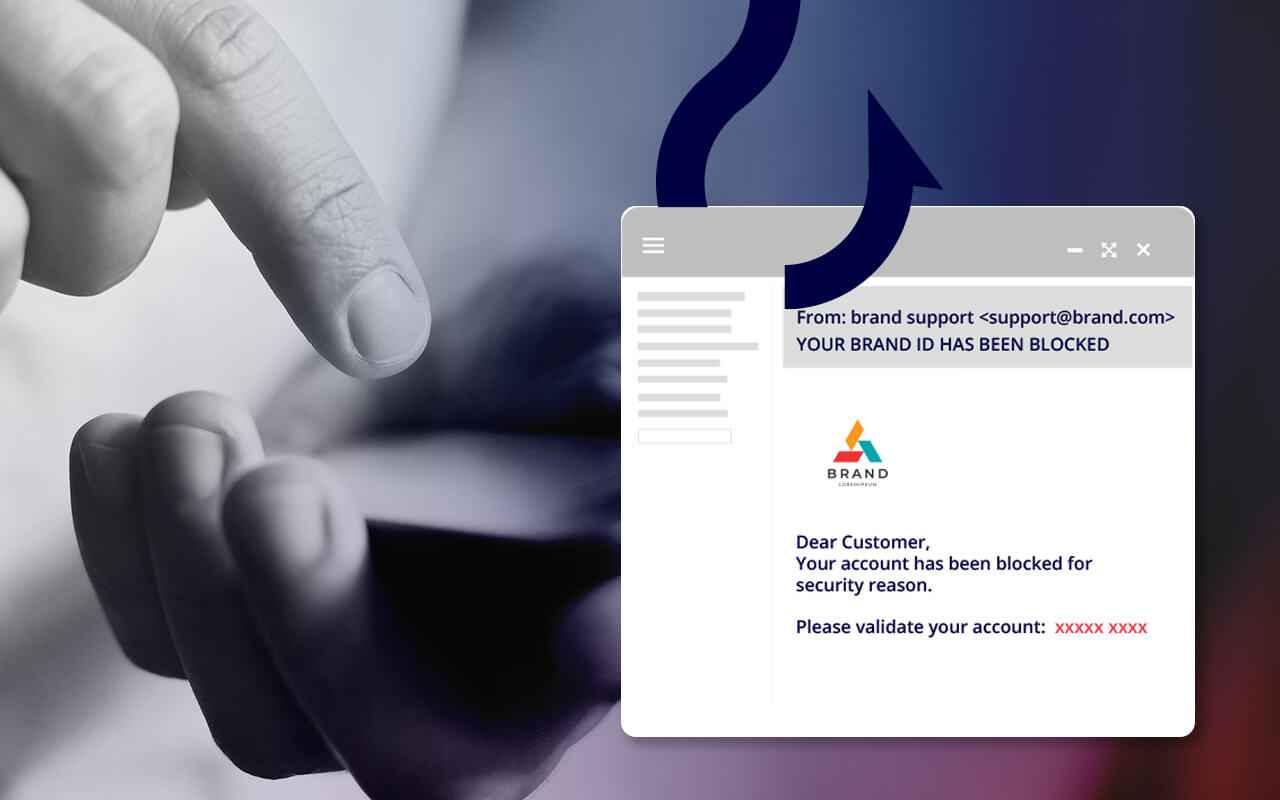
History of email spoofing
Email spoofing has been a threat since the early days of digital communication. This was because the Simple Mail Transfer Protocol (SMTP)—the foundational protocol for email—was not originally designed with strong authentication in mind, so it became an easy target for abuse. In the late 1990s and early 2000s, cybercriminals began exploiting these weaknesses to send spam and phishing messages using forged sender addresses.
As email grew into a critical communication tool for businesses, spoofing tactics evolved alongside it. Today, spoofing is often used in more sophisticated threats like business email compromise and impersonation attacks.
Spoofing vs Phishing: what’s the difference?
While spoofing and phishing are often linked, they are not the same. Email spoofing is a tactic that involves forging the "From" address to make a message appear to come from someone the recipient knows or trusts. Phishing, on the other hand, is a broader attack strategy. It often uses spoofed emails as a vehicle to deceive victims and steal sensitive data like passwords or financial details.
Think of spoofing as a disguise, and phishing as the scam being carried out in that disguise. Spoofing lays the groundwork for phishing by giving attackers credibility. That’s why stopping spoofing is a critical first step in protecting against email-based threats like credential harvesting, ransomware, and wire fraud.
How email spoofing works
Email spoofing is a highly damaging and increasingly frequent form of cyber fraud. In a spoofing email attack, a cybercriminal sends an email with a "From:" address that appears to be from a source the recipient trusts: a colleague, a friend, an executive or a well-known vendor company. The email will typically ask the recipient to perform an action that eventually gives attackers access to networks, systems or financial accounts. Email spoofing is usually used in phishing and spear-phishing attacks, and in an impersonation attack where an email may seem to be from a CEO or CFO who is asking the recipient to wire money to an account that turns out to be fraudulent.
Defending against email spoofing requires a multi-layered approach to security. Users, often the weakest link, must be empowered with knowledge and best practices that can help them know how to spot phishing and email spoofing attacks. But because it's impossible for users to identify every email spoofing attempt every time, organizations need state-of-the-art defenses that can automatically recognize and warn users about suspicious email.
What are examples of email spoofing?
Email spoofing is a common tactic used by cybercriminals to deceive recipients, and it can take various forms. Some examples include CEO fraud, phishing emails, business email compromise, and look-alike domains. In each case, the goal is usually to make a malicious email appear trustworthy enough for the recipient to act before recognizing the phishing attempt or spoofing attack.
- CEO Fraud – In this type of spoofing, the attacker poses as a high-ranking executive, typically the CEO or CFO, to trick employees into performing actions like transferring funds or sharing sensitive information.
- Phishing Emails – Spoofed emails are often used as part of phishing attacks, where the attacker seeks to obtain sensitive information, such as login credentials or financial details, by posing as a trustworthy entity.
- Business Email Compromise (BEC) – This involves spoofing emails to compromise business transactions, gain unauthorized access to sensitive data, or initiate fraudulent financial transactions.
- Look-Alike Domains – Cybercriminals create domains that closely resemble legitimate ones, tricking recipients into thinking they are interacting with a trustworthy entity.
The ultimate goal of email spoofing is often to deceive, manipulate, or exploit the recipient for criminal gain. In some cases, the intent may extend beyond financial fraud to include identity theft, data breaches, or the disruption of critical operations.
How to identify spoofing emails
Spotting a spoofed email can be challenging, especially when attackers go to great lengths to make messages appear legitimate. However, there are a few key red flags employees can watch for:
- Mismatched display name and email address: A spoofed message may show a familiar name, but the underlying email address doesn’t match the expected domain.
- Unexpected requests for sensitive information: Email content asking for “urgent” login credentials, financial details, or internal documents should raise suspicion.
- Unusual tone or formatting: If a message from a colleague or executive sounds out of character, contains poor grammar, or uses overly formal language, it could be a spoof.
- Generic Greetings: Legitimate emails from known contacts usually include personalized greetings. Spoofed emails may use generic greetings or lack personalization.
- Look-alike domains: Spoofing often involves domain names that are slightly altered. This can be replacing an “l” with a “1” or adding an extra character.
Encouraging employees to pause and verify unexpected messages is a critical part of defending against spoofing attacks. When combined with a secure email gateway and threat protection tools, user vigilance becomes a powerful line of defense.